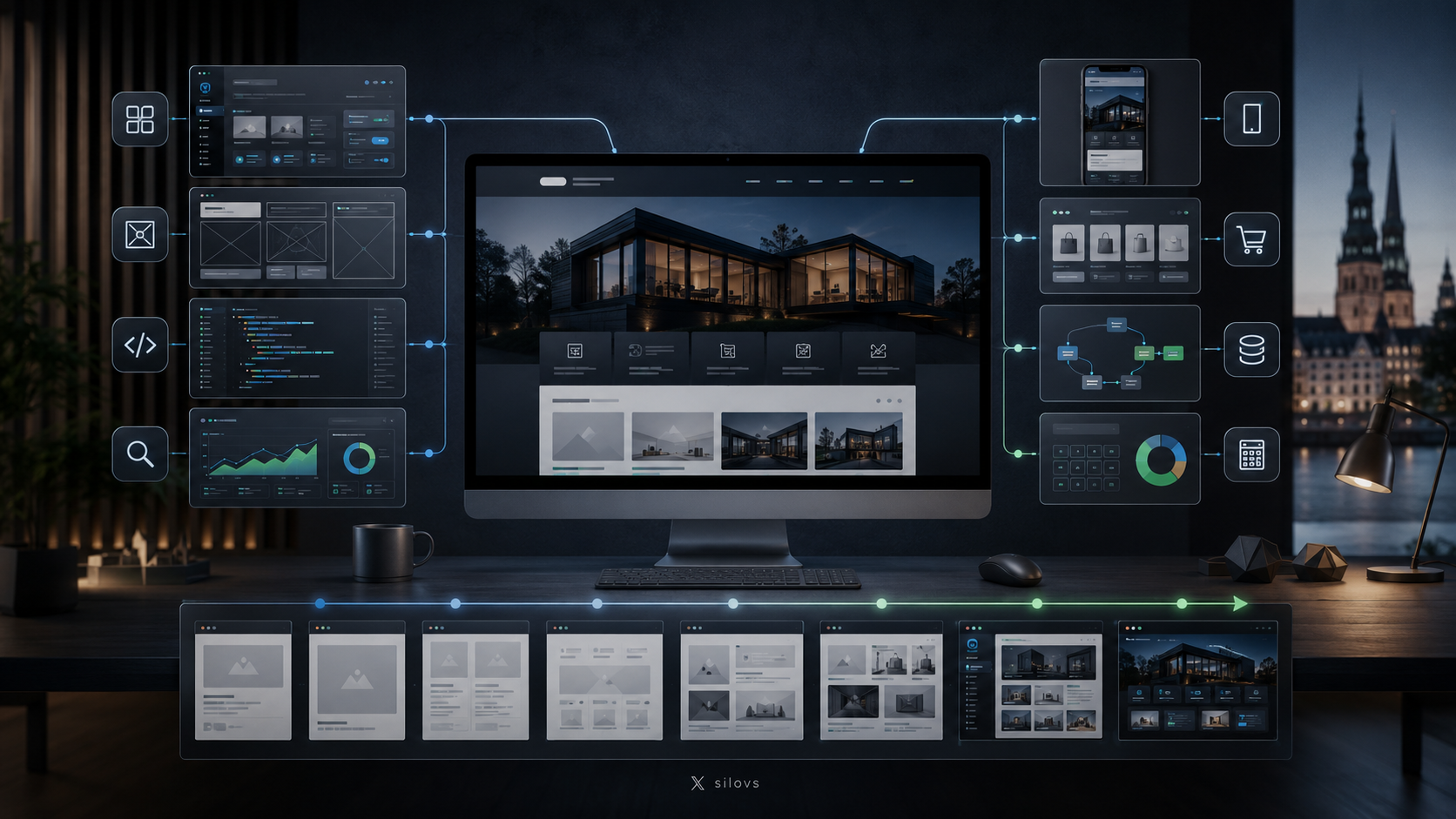
Today, a professional website is much more than a company’s online business card. It can help attract new customers, sell products and services, provide important information, and build a trustworthy brand image.
However, an attractive design alone is not enough. To be genuinely useful, a website must be fast, secure, easy to understand, and simple to manage. This is why a well-planned structure and a convenient CMS, or content management system, are so important.
A properly developed website can help a business:
attract new customers;
become more visible in Google and AI-powered search tools;
present its services or products clearly;
publish news and blog articles;
receive customer enquiries;
automate repetitive daily processes;
strengthen the company’s credibility.
What Is a CMS?
CMS stands for “Content Management System.”
In simple terms, a CMS allows a website owner to manage website content independently, even without programming knowledge.
Using a convenient administration panel, it is possible to:
add and edit text;
upload images;
create new pages and sections;
publish blog articles;
update contact information;
manage products and services;
review customer enquiries;
edit SEO titles and descriptions.
A well-developed CMS can reduce website maintenance costs. Simple changes no longer have to be assigned to a developer every time, because the company can manage a large part of the content on its own.
Why Does a Business Need a Professional Website?
Before contacting a company, people often search for information online first. They review the offer, prices, customer feedback, and contact details, and try to decide whether the company can be trusted.
If a website looks outdated, loads slowly, or makes important information difficult to find, a potential customer may simply choose a competitor instead.
A professional website creates a first impression before a phone call, email, or face-to-face meeting. It shows that the company:
works professionally;
cares about its reputation;
is accessible and trustworthy;
can explain its offer clearly;
keeps up with modern technology.
When developing a website, it is important to think not only about what the company’s management likes, but also about what is convenient and easy to understand for visitors.
What Are the Most Important Features of a Good Website?
Fast Loading Speed
Website speed affects both user experience and visibility in search results.
If a page takes too long to load, some visitors will leave before they even have a chance to review the offer. Speed is especially important on mobile devices, where the internet connection may not always be stable.
Website performance can be improved through:
optimised images;
high-quality hosting;
well-written program code;
caching;
reducing unnecessary plugins and scripts.
Mobile Responsiveness
A large share of website visits comes from smartphones. For this reason, a website should work equally well on computers, phones, and tablets.
In the mobile version, text should be easy to read, buttons should be large enough to press comfortably, and the menu should be simple and clear.
Users should not have to zoom in or search for hidden functions. All important information should be easily accessible from the first glance.
Clear Navigation
Within a few seconds, a visitor should understand:
what the company does;
which services or products it offers;
how the offer differs from competitors;
how to get in touch or request a service.
An overly complicated menu, unclear section names, or a chaotic information structure can reduce the number of customer enquiries.
The faster a person finds the information they need, the more likely they are to take the desired action.
Professional Design
A website’s design should reflect the company’s brand, industry, and target audience. This does not mean that the website has to be filled with animations or complicated visual effects.
In many cases, a clean, well-planned, and visually consistent design works best.
Important elements include:
text size and readability;
spacing between elements;
image quality;
button placement;
heading hierarchy;
overall visual consistency.
Good design helps visitors absorb information and naturally guides them towards the next step, such as submitting an enquiry, making a call, or completing a purchase.
How Does a CMS Make Website Management Easier?
A CMS provides an administration panel where a company can manage website content without making changes to the program code.
For example, to publish a new blog article, an administrator only needs to enter the title, a short description, and the article text, select a category, add an image, and click the publish button.
Depending on the company’s needs, a CMS may include:
blog and news management;
a product or service catalogue;
a customer enquiry system;
employee profile management;
document uploads;
a booking system;
multilingual content;
SEO settings;
user permission management;
statistics and reporting.
The most important thing is that the administration panel is easy to understand for the people who will use it every day. It does not need to be complicated simply because the system offers many functions.
Ready-Made CMS or Custom-Built System?
A website can be developed using an existing CMS platform or a custom-built content management system. Both options have advantages, and the best choice depends on the project’s needs.
Advantages of a Ready-Made CMS
Popular CMS platforms make it possible to create a website relatively quickly by using existing modules, plugins, and design solutions.
This approach may be suitable for:
small business websites;
simple blogs;
standard online shops;
projects with a limited budget;
situations where the website needs to be launched relatively quickly.
At the same time, ready-made systems may include unnecessary functions, plugins, and technical limitations. If too many additional modules are used, the website may become slower, more complicated, and more difficult to maintain.
Advantages of a Custom CMS
A custom CMS is built around the specific processes and requirements of a particular company.
Its main advantages include:
only necessary functions are included;
the administration panel can be adapted to employees’ daily work;
there is greater freedom in design and functionality;
better performance may be achieved;
the system can be integrated with other business tools;
user access rights can be controlled precisely;
the solution can continue to develop over time.
A custom CMS is particularly useful for businesses that need non-standard functionality, more complex automation, or specific data processing.
However, it is important to remember that such systems usually require a larger initial budget and more careful project planning.
Website SEO Optimisation
A professional website should be developed in a way that allows its content to be understood not only by visitors, but also by Google and other search tools.
SEO, or search engine optimisation, helps a website become more visible in search results and attract people who are already looking for a particular product, service, or piece of information.
The most important SEO elements include:
a logical heading structure;
a unique title for each page;
well-written meta descriptions;
high-quality and useful content;
naturally used keywords;
short and understandable page addresses;
alternative text for images;
internal links between related pages;
structured data;
fast website performance;
a fully functional mobile version.
SEO should not be postponed until the website is already complete. Many technical and structural decisions need to be considered during the planning and development stages.
Why Does a Website Need a Blog?
A blog is one way to regularly add new and useful information to a website.
Every high-quality article can become a separate entry point to the website from Google, Bing, or AI-powered search tools.
A company blog helps to:
answer frequently asked customer questions;
explain the benefits of products or services;
demonstrate the company’s experience and expertise;
attract visitors through specific search queries;
build trust;
increase the website’s authority;
generate new customer enquiries.
For a blog to deliver results, articles should be written for readers, not only for search engines. The text should be clear, well structured, and genuinely useful.
Excessive keyword repetition or artificially written content can have the opposite effect, causing readers to lose interest and leave the page quickly.
Website Security
Security is important for every website, regardless of the size of the company or the industry in which it operates.
A poorly protected website can be hacked, used to display unwanted advertisements, distribute harmful content, or obtain customer data. This can lead to both financial losses and damage to the company’s reputation.
A secure website requires:
an SSL certificate;
secure administrator authentication;
regular backups;
timely software updates;
protection against automated attacks;
secure data storage;
restricted user access rights;
a well-designed password recovery system.
Within the CMS, each employee should ideally receive only the permissions required for their work.
For example, an employee who publishes blog articles does not necessarily need access to technical system settings or other users’ accounts.
Website Integrations and Automation
A modern website can be more than just a source of information. It can be connected to other systems used by the company and automate various daily processes.
A website can be integrated with:
customer relationship management systems, or CRMs;
email marketing platforms;
payment systems;
accounting software;
inventory management systems;
booking calendars;
social media platforms;
analytics tools;
artificial intelligence solutions.
Automation helps reduce manual work and speeds up the processing of customer requests.
For example, an enquiry submitted through the website can automatically be saved in a database, sent to the responsible employee, and added to the CRM system at the same time.
This removes the need to copy information manually from an email into another system and reduces the risk of errors.
Multilingual Website Development
Businesses that work in several countries or serve customers who speak different languages may need a multilingual website.
It is important for each language version to have:
high-quality content;
appropriate SEO titles;
unique meta descriptions;
clear page addresses;
correct language tags for search engines;
easy switching between languages.
Automatic translation can be useful as a starting point, but it does not always provide a professional result.
For a business website, the content in each language should be reviewed for terminology, grammar, tone, and suitability for the target audience. An inaccurate or awkward translation can reduce trust in the brand.
How Much Does Website and CMS Development Cost?
There is no single universal price for website development. The cost depends on the size of the project, its technical requirements, and the required functionality.
The price is usually influenced by:
the number of sections and pages;
the complexity of the design;
the scope of CMS functions;
the number of languages;
the quantity of products or services;
integrations with other systems;
the need for custom programming;
SEO preparation;
migration of existing data;
the complexity of the administration panel.
A simple business website will cost less than a complex platform with customer profiles, payments, automation, and multiple user roles.
When evaluating an offer, it is important not to focus only on the initial price. Ongoing maintenance costs, system performance, security, and the possibility of expanding the website in the future are equally important.
A cheap solution at the beginning is not always the most cost-effective option in the long term, especially if every small change later requires additional work and expense.
The Website Development Process
Professional website development usually takes place in several consecutive stages.
1. Requirements Analysis
The project goals, target audience, required sections, and functionality are defined at the beginning.
At this stage, it is important to understand what the company wants to achieve with the website: sell products, receive enquiries, inform customers, automate processes, or combine several goals.
2. Structure Planning
The menu, page order, content distribution, and main user journeys are planned.
A good structure helps determine how a visitor will move from the homepage to the information they need or to an enquiry form.
3. Design Preparation
The visual design of the website is developed based on the company’s brand, industry, and target audience.
At this stage, colours, fonts, image style, button appearance, and the placement of key elements are selected.
4. Programming and CMS Development
Once the design has been approved, the public-facing part of the website and the administration panel are developed.
Required functions, forms, integrations, and user access rights are also implemented at this stage.
5. Content Upload
Texts, images, service descriptions, product information, contact details, and other necessary content are added to the website.
It is important for the content to be accurate, easy to read, and properly structured.
6. Testing
Before launch, the website is tested across different devices and browsers.
The following are checked:
contact and enquiry forms;
buttons and links;
the mobile version;
loading speed;
administration functions;
user access rights;
key SEO settings.
7. Launch
After testing and the necessary corrections, the website is placed on a server and connected to the company’s domain.
At the same time, an SSL certificate, analytics tools, backups, and other technical settings may be configured.
8. Maintenance and Development
Work on a website does not end on launch day.
To keep the website secure and effective, regular backups, security updates, content updates, and technical improvements are required.
Over time, both the company’s offer and customer needs may change, so the website should be flexible enough to continue developing.
How to Choose a Website Developer
Before starting cooperation, it is worth clarifying not only the project price and development timeline, but also several practical matters.
Important questions include:
who will own the website and its program code;
whether the company will have access to the CMS administration panel;
whether the website will be optimised for mobile devices;
whether basic SEO preparation is included;
how backups will be created and stored;
whether the website can be expanded in the future;
what the maintenance costs will be;
whether technical documentation will be provided;
whether the administrator will receive instructions or training.
It is best to avoid solutions that make the company completely dependent on a single service provider and prevent it from freely managing or transferring the website to another developer.
The clearer the terms of cooperation are at the beginning of the project, the fewer misunderstandings there are later.
Frequently Asked Questions
Can a Website Be Managed Without Programming Knowledge?
Yes. A well-developed CMS makes it possible to edit texts, images, service descriptions, and blog articles without programming knowledge.
The administration panel should be designed so that daily tasks can be completed quickly and easily.
Does Every Business Need a CMS?
A CMS is particularly useful when website content needs to be updated or expanded regularly.
A completely static website does not always require a CMS, but one can make future development and content updates significantly easier.
Is a Custom CMS More Secure?
A custom CMS can be more secure because it does not contain publicly known and unnecessary plugins or modules.
However, custom development alone does not guarantee security. The result also depends on code quality, server configuration, access control, and regular maintenance.
How Long Does Website Development Take?
The development time depends on the size and complexity of the project.
A simple business website can be created relatively quickly, while a custom CMS with integrations, automation, and non-standard functions requires more time for planning, development, and testing.
The process may also be affected by how quickly content is prepared and important decisions are made.
Can an Old Website Be Modernised?
Yes. An existing website can be redesigned while preserving some of its content, page addresses, database, or functions.
Before modernisation, a technical and SEO audit is recommended. This helps determine what should be retained and what would be better rebuilt from scratch.
Conclusion
A professional website and a convenient CMS help a business attract customers, improve its online visibility, and manage content more effectively.
To truly support business goals, a website should be:
fast;
secure;
easy to understand;
optimised for mobile devices;
prepared for Google and AI-powered search tools;
easy to administer;
flexible enough to expand and develop in the future.
Website development is a long-term investment in business growth. A carefully planned system can serve the company for many years, reduce manual work, and help turn website visitors into real customers.