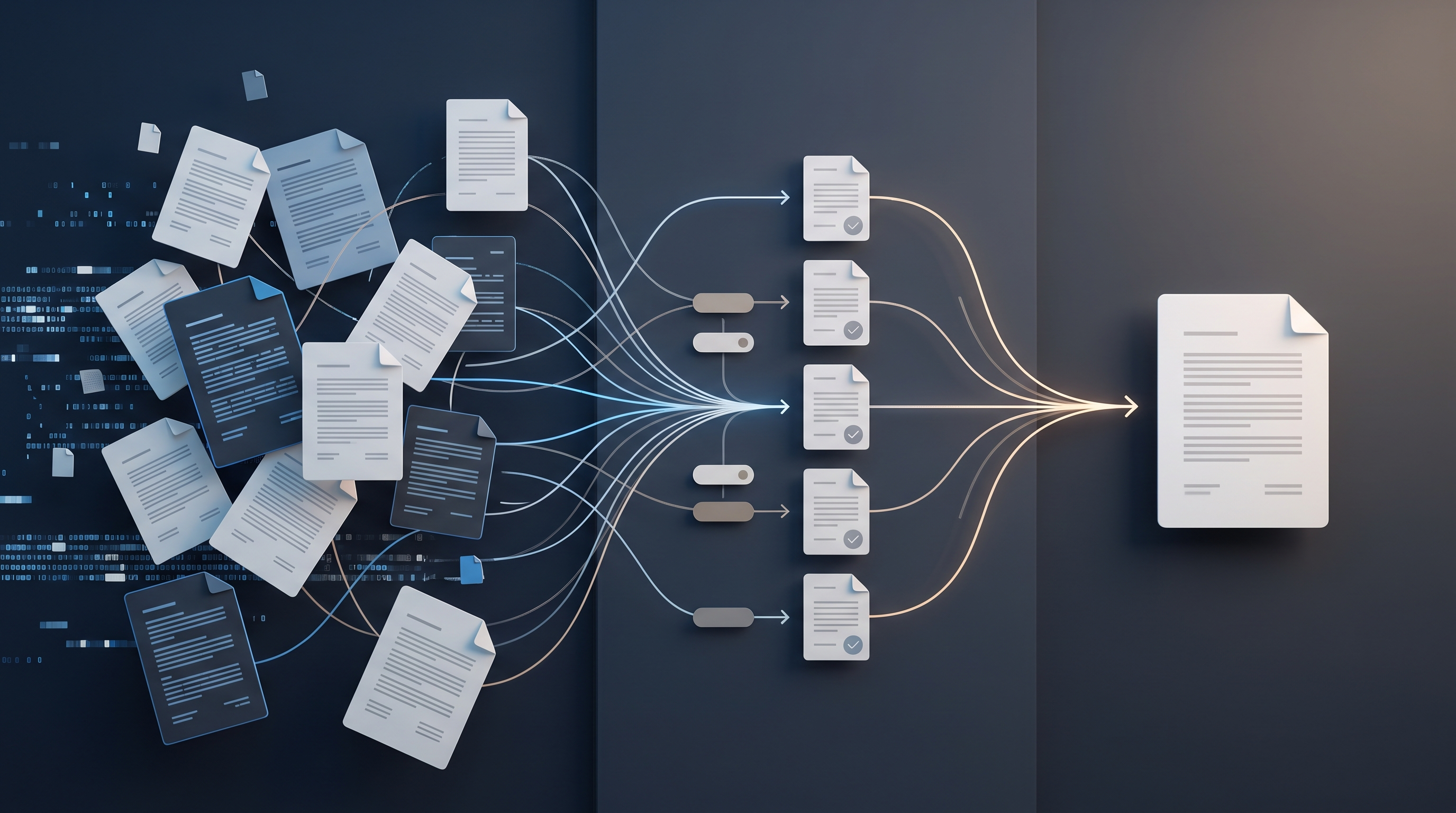
Document approval does not need to happen in a long email thread full of attachments named “final”, “final2” and “actual final”. A reliable system is built around one document location, one person responsible for moving it forward, predefined reviewers, clear statuses and a traceable decision history. Email may notify someone that action is required, but it should not serve as the document repository or version-control system.
The goal is not to implement the most complicated software available. The goal is to make five questions easy to answer at any moment: Where is the current version? Who needs to act now? What is the deadline? What has already been approved? Which decision is final?
The same model can work in a small business where three people review documents and in an organisation with several departments. The tools and access controls will differ, but the workflow logic remains the same.
Why email threads create approval problems
Email is useful for correspondence, but it handles collaborative document work poorly. As soon as several people download an attachment, parallel copies appear. One person changes the pricing table, another rewrites a contractual clause, while a third comments on a file that is already outdated. Each change may be sensible on its own, yet the changes no longer form one controlled final version.
The real source of chaos is usually not the number of messages but four missing controls:
there is no single location for the current document;
nobody knows who manages the workflow and who only provides specialist input;
comments and approval have no defined deadline;
formal approval is not separated from casual agreement in a conversation.
Employees then spend time comparing files, requesting information that has already been provided and worrying about using the wrong version. Managers do not have a clear view of documents that are stuck. The problem becomes particularly visible when approving contracts, proposals, procurement requests, budgets, internal policies and marketing materials.
The foundation: one document, one workflow, one owner
A document approval system is a defined workflow that moves a document from drafting through review to approval and archiving. Every stage has a status, an accountable person and an expected result.
The most important principle is a single source of truth. The current document lives in one shared environment, and reviewers work through a link to it. If the file format does not support safe simultaneous editing, there should still be one controlled working copy, with earlier versions stored automatically or according to a clear procedure.
The second principle is workflow ownership. The owner does not necessarily have to be the author or a department head. This person checks that the right reviewers have been assigned, the context is available, deadlines have not disappeared and the final version is locked after the decision. Without one owner, everyone can assume that somebody else will take the next step.
The third principle is to separate commenting from approval. A comment is a suggestion or question. Approval is a specific decision on a specific version. The system should display them as different actions.
Six statuses are enough for most businesses
Too many statuses create administration; too few make it impossible to see where work is stuck. A practical base workflow usually needs six:
Draft. The author is preparing the content, and it has not yet entered review.
Ready for review. Context is complete, reviewers are assigned and a deadline has been set.
In review. Comments or checks are in progress, and missing responses are visible.
Changes required. The owner or author consolidates feedback and prepares the next version.
Approved. An authorised person has approved a specific version; further changes require a new cycle.
Archived or issued. The final document has been sent for execution, signature, publication, delivery to a client or retention.
Some workflows may need “Rejected” or “On hold”, but each department should not invent its own status vocabulary. Shared statuses let management see different document processes in one consistent view.
Every review should start with a document brief
A reviewer cannot make a good decision if they receive only a file and a message asking them to “have a look”. Each document therefore needs a concise record containing the information required for the decision.
It should include:
document title and type;
workflow owner;
the purpose of the review and the exact decision required;
brief context and the most important changes;
reviewers and final approver;
response deadline;
related materials or a previous decision;
confidentiality or access restrictions where necessary.
This record should not become another long document. Six completed fields may be enough. Its role is to reduce guessing and prevent every reviewer from separately asking why the document exists and what input is expected.
Assign roles according to the decision, not job titles
A document should not automatically be sent to every manager. Reviewers should be selected according to the risk or area of expertise they are expected to check.
Four roles keep the process clear:
the author prepares and revises the content;
the workflow owner coordinates the process and monitors deadlines;
a reviewer checks a defined area such as finance, legal terms, brand compliance or technical feasibility;
the approver makes the final decision and accepts accountability for it.
One person may perform several roles, especially in a small business. The system should still make clear which role they are performing at a given stage. Someone who only needs to be informed is not a reviewer; they can receive a notification after the decision without holding up the workflow.
The order also matters. If legal review is only useful after the budget has been approved, those stages should not begin together. Independent checks, however, can run in parallel to reduce total turnaround time.
Comments need simple working rules
Collaborative editing does not resolve disagreements by itself. If people rewrite text without explaining why, the workflow owner cannot tell what prompted a change or whether others accept it.
The rules can be short:
place feedback next to the relevant passage rather than in a separate email;
state the problem and, where possible, propose a solution;
distinguish an editorial preference from a mandatory requirement;
assign a decision-maker to a disagreement instead of extending the discussion indefinitely;
resolve comments only after the change has been checked;
do not silently rewrite a document after approval.
A shared priority vocabulary is useful as well, such as “must change”, “suggestion” and “question”. It tells the author which comments block approval and which are optional improvements.
Version control without guessing from filenames
When a tool stores revision history, there is no need to create a new attachment after every edit. The document link remains the same while the system records the author, time and previous content. At an important milestone, such as external delivery, the team can create a fixed version or export an immutable final file.
If simultaneous editing is not possible, use a consistent filename structure: document code, short name, version and status. A date can help, but it does not replace a version number. “Latest” and “final” are unreliable labels because another copy may appear an hour later.
The approval record must refer to the exact version that was approved. Otherwise, the organisation may be able to prove that a decision was made but not determine which content the decision covered.
Deadlines, reminders and escalation
“When you have time” is not a deadline. Every review task needs a specific date, and urgency must be justified. When everything is marked urgent, the team stops responding to priorities.
The system can send a reminder before the deadline and notify the workflow owner when a response is overdue. Escalation does not mean involving a senior manager immediately whenever one comment is late. The owner should first find out whether information is missing, the reviewer is unavailable or the task went to the wrong person.
The team must also agree on what silence means. For critical documents, no response should never become automatic approval. A business may set a different rule for low-risk internal materials, but the rule needs to be explicit and understood by everyone involved.
How to choose the right tool
Choose a tool according to workflow needs, not the length of its feature list. A small team may only need a shared document environment, a task list and a standard folder structure. More complex document flows may require a document management system with role-based access, approval routes, audit history, electronic-signature integration and retention controls.
Before choosing, confirm that the solution supports:
one link to the current document and a version history;
permissions at document or folder level;
comments and approvals that are visibly different;
task owners, deadlines and reminders;
search by title, status, owner and date;
activity history and secure storage of the final version;
understandable data export if the tool needs to be changed later.
Ease of use matters as well. If a reviewer must open five windows and copy a status manually to make one decision, the workflow will drift back to email. A technically capable system creates little value when the team routinely works around it.
Practical example: approving a client proposal
Imagine that a sales manager prepares a non-standard proposal for a client. In the document record, they add the commercial context, deviations from standard pricing, the proposed delivery schedule and the required decision date. A finance specialist checks price and payment terms, a project manager checks capacity and timing, and an authorised manager makes the final decision.
Finance and capacity checks can happen in parallel. If both reviewers approve, the task automatically moves to the final approver. If the project manager says the timing is not feasible, the document changes to “Changes required”, and the owner can see the exact blocking comment. Once the proposal is revised, only the necessary review stage is repeated rather than restarting the entire cycle.
After approval, the final version is fixed and its link is added to the client or sales-opportunity record. The sales manager sends only that version. Nobody needs to search later for the approved attachment or reconstruct why a particular discount was authorised.
Implementing the workflow in ten working days
It is safer to begin with one common document type than to redesign every document process at once.
Days 1–2: Choose a workflow with enough volume and a visible problem, such as proposals, contracts or purchase requests. Map its current route and record the most common causes of delay.
Days 3–4: Define the workflow owner, reviewer roles, final approver, statuses and deadlines. Create the required fields for the document record.
Days 5–6: Configure the chosen tool, access permissions, notifications and one standard template. Test the workflow with a sample document, including rejection and resubmission.
Days 7–8: Run a pilot with a small number of real documents. Watch where people become confused, which notifications are unnecessary and what context is missing.
Days 9–10: Adjust the rules, give the participants a brief training session and set the date from which this document type will no longer be approved through email attachments. Keep a one-page guide covering the workflow, roles and exceptions.
Review the result after two to four weeks before adding another document type.
What to measure after implementation
Do not judge the quality of document approval only by whether the team uses the new tool. Process measures provide better evidence:
average time from “Ready for review” to a decision;
percentage of documents that miss the deadline;
number of repeated approval cycles;
incidents in which the wrong version was sent or used;
documents without an owner, deadline or final decision;
most common reasons for a blocked workflow.
These measures help distinguish a tool problem from a process problem. For example, long approval times may have nothing to do with slow notifications. The cause may be that one manager receives too many decisions or that documents enter review without enough context.
Common mistakes
The first mistake is digitising the existing chaos without changing roles or rules. The email thread disappears, but an equally unclear task system takes its place.
The second is excessive approval. Requiring six approvals for every document “to be safe” dilutes accountability and slows work. Every reviewer needs a specific reason to participate.
The third is ignoring exceptions. Urgent, confidential or third-party documents may need a separate route. The exception should be defined rather than left to individual interpretation.
The fourth is leaving the old channel open without boundaries. If part of the team keeps approving email attachments, the system will never contain a complete decision history. Email can remain a notification channel, but the action and decision need to be recorded in one place.
Conclusion: the right first step
An effective document approval process starts not with buying software but with organising the route of one document type. Choose a workflow that regularly suffers from version confusion or delays. Define one location, a workflow owner, reviewers, the final approver, six clear statuses and a real deadline.
If anyone involved can then find the current version and understand the next action within seconds, the system is already doing its most important job. Automation, integrations and more detailed analytics can follow. First, the team needs one shared working logic that it can follow without guesswork.